
01SAFE
Safety & risk
Monitor alarms and safety conditions while the program runs, including collisions, clearance, spindle, feed, coolant and tool conditions.
ACTIVE PROTOTYPE · IN DEVELOPMENT
A generic three-axis CNC milling environment where learners set work zero, inspect G-code, verify safety, and watch material removal in XR or on desktop.
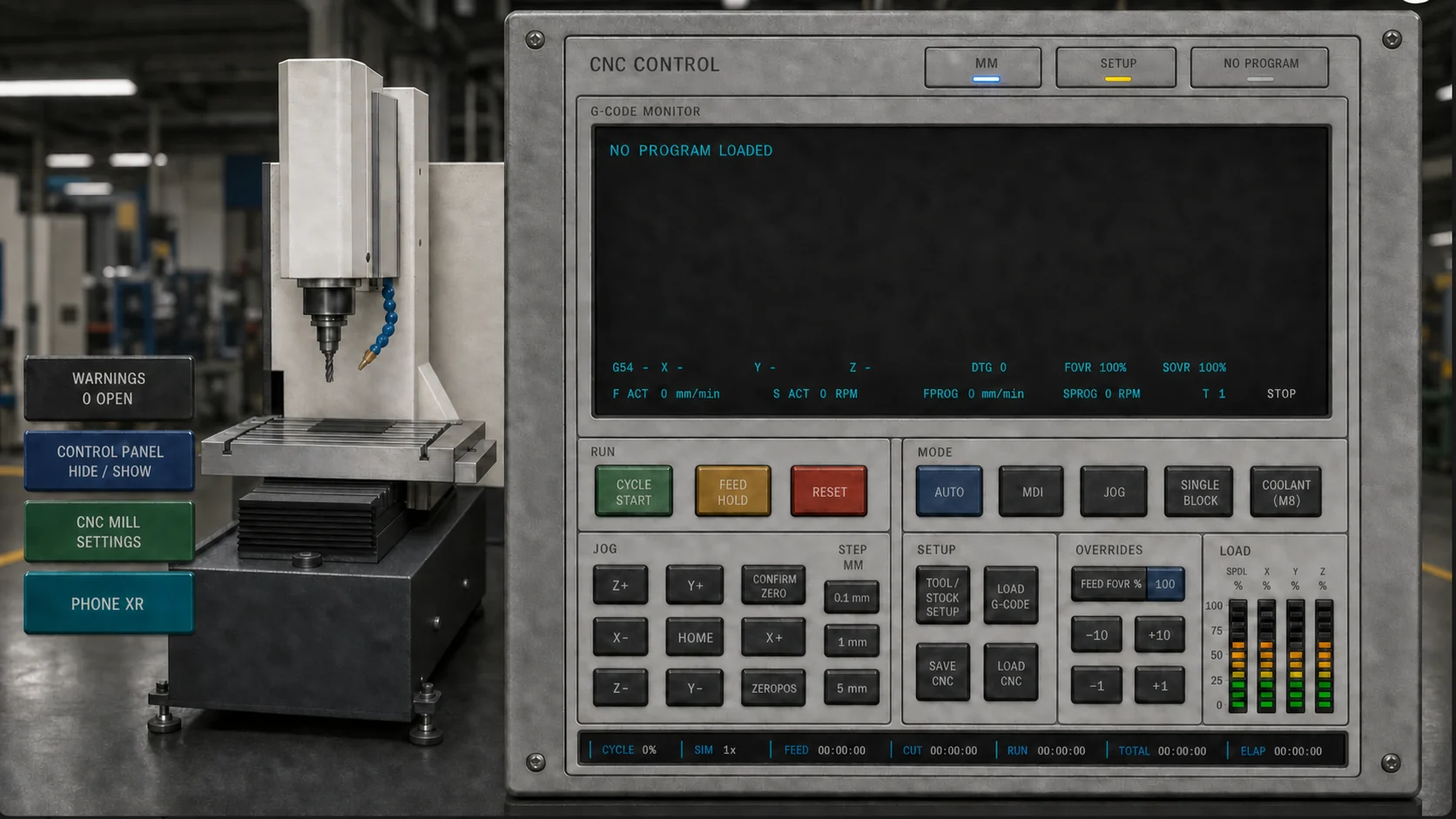

INTEGRATED TRAINING MODULES
Monitor alarms and safety conditions while the program runs, including collisions, clearance, spindle, feed, coolant and tool conditions.
Define stock and material, verify the stock envelope, establish G54-G59, assign the T1-T15 magazine, configure D/H offsets and save or load the CNC.
Load .nc, .tap, .gcode or .txt main programs plus external O subprograms, or create and edit programs in MDI for AUTO or Single Block execution.
Run three-axis material removal, inspect the finished part and export STL, a three-page PDF or the complete ZIP evidence package.
Estimate stock, consumed tooling, electricity, coolant, way lubrication and filtration from actual CNC program time and cutting conditions.
SAFETY INTELLIGENCE
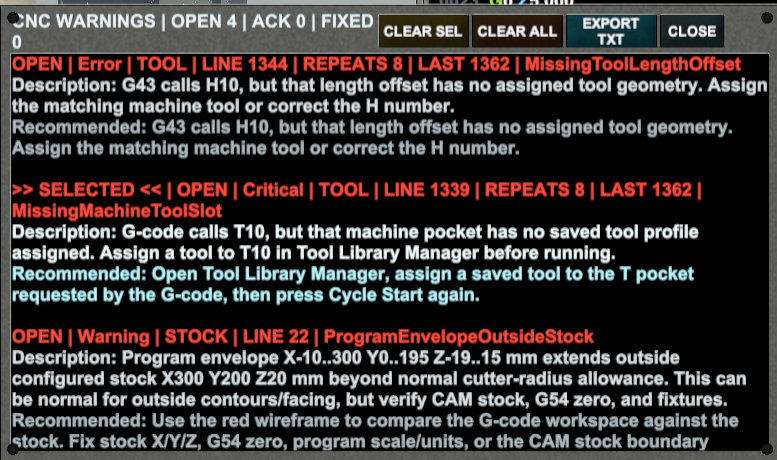
Warnings and alarms show severity, program line and a recommended corrective action. Export the .txt history to document open, acknowledged and resolved events.
PROGRAMMING & SETUP
Load .nc, .tap, .gcode or .txt main programs, manage external O subprograms, or create and edit a program directly in MDI. Unsupported commands are identified by parser diagnostics.
G0-G4G12/G13G17G20/G21G28G40-G43 / G49G53-G59G80-G85G90/G91G94 / G98/G99M00/M01M3-M6M8/M9M19 / M30M88/M89M97-M99F · S · T · H · DI · J · K · R · P · Q · L · N · O.nc / .tap / .gcode / .txt main program · Multi-file O#### subprogram loading · M97 local N calls · M98 external O calls · M99 return · Repeats and nested calls
G0-G4 · G12/G13 circular pockets · G17 · G28 · G80-G85 drilling, dwell, peck, tapping and boring · G94 · G98/G99 cycle return
G20/G21 · G53 machine coordinates · G54-G59 work offsets · G90/G91 · G40-G42 cutter compensation with D registers · G43/G49 tool-length compensation with H registers
Bundled 6061-T6 aluminum · 1018 mild steel · Acetal/POM · Editable CSV dimensions and stock cost
End mills, drills, taps, chamfer/countersink, face, bull and ball tools · HSS, carbide and coated carbide · Geometry, wear, holder/stickout, application, thread data, cost and life in editable CSV
Millimeters/inches · Absolute/incremental · Linear and I/J/K arcs
Stock dimensions · Maximum spindle RPM · T1-T15 magazine · Standard/custom actuator and axis-load profiles · Optional M88/M89 through-spindle coolant capability · Save/load CNC setup
Material and tool prices · Reference tool life · Electricity · Coolant · Way oil · Pump and filter allocation
MULTI-DEVICE WEB ACCESS
No installation required. Open Mech CNC Mill in a compatible browser and access every simulator feature through an interface optimized for your device.
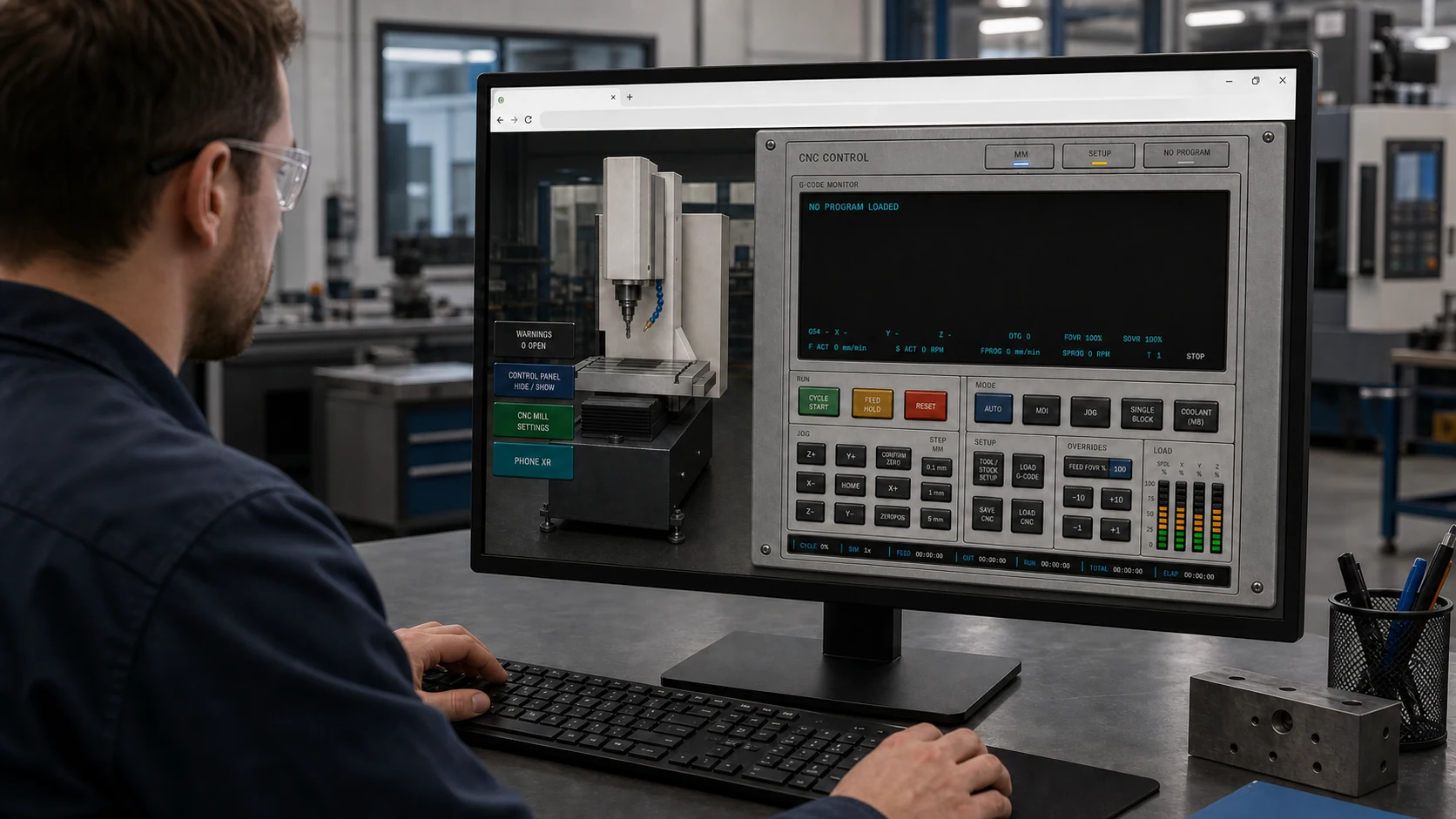
Maximum visibility and precision for setup, programming, monitoring and simulation control with a wide display, keyboard and mouse.
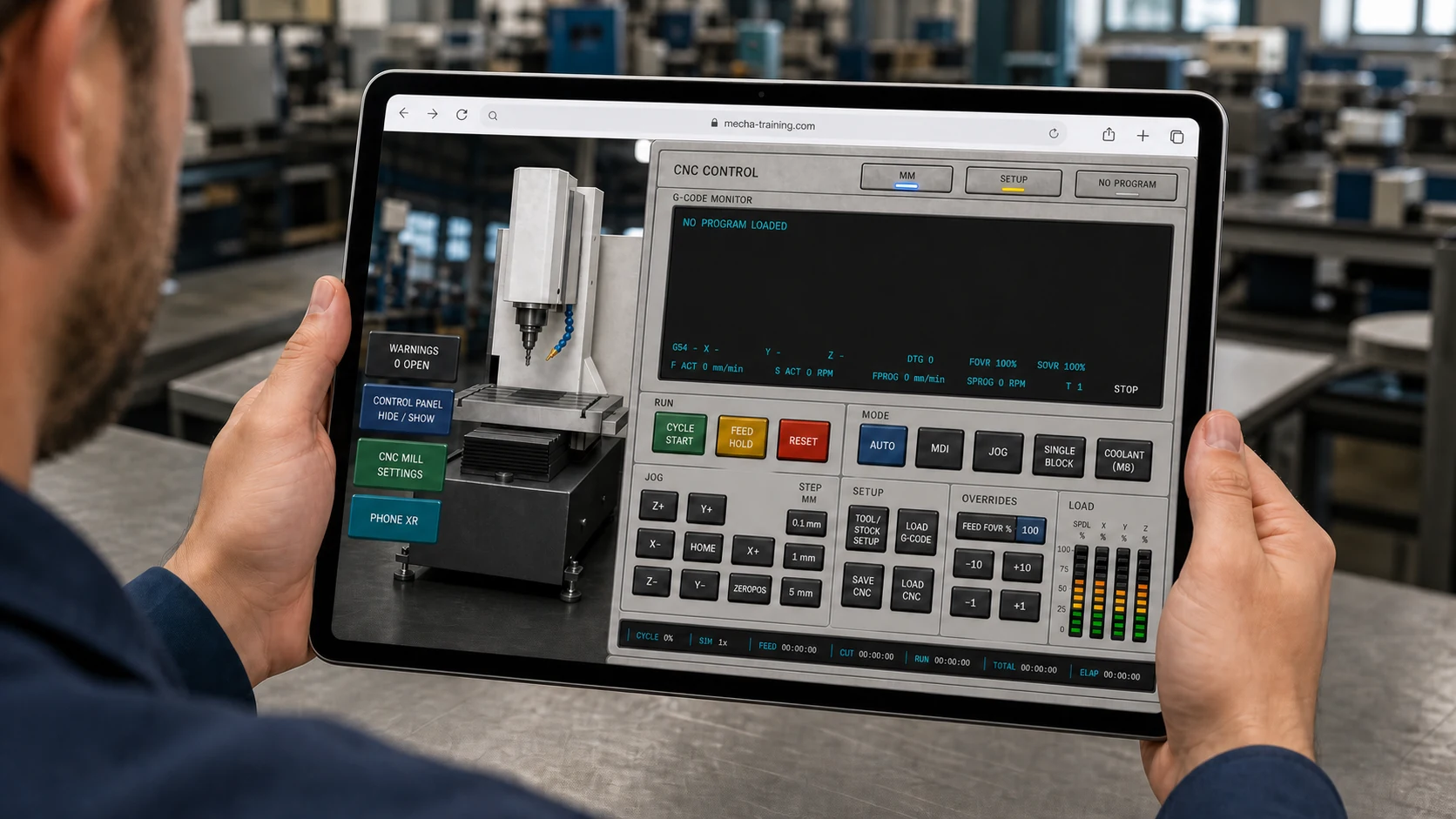
The complete simulator resizes and reorganizes its machine view, control panel and menus into a clear, comfortable touch interface.
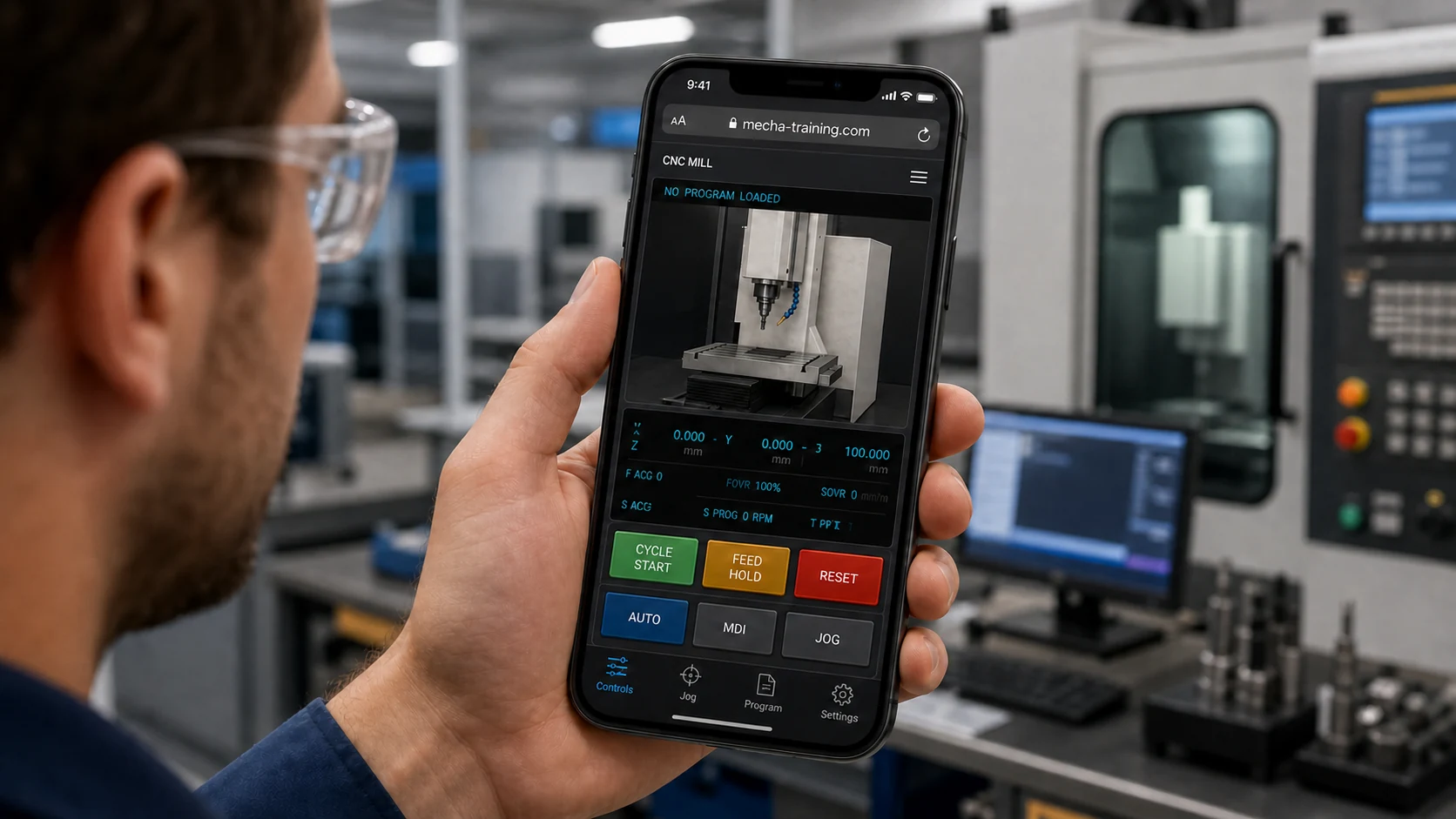
The CNC view, status data and primary controls are reorganized for a narrow screen, while every secondary function remains accessible through touch menus.
PHONE XR
Phone XR uses an Android phone or tablet as an Extended Reality companion to the complete web simulator running on the PC. The mobile device does not run a second simulator; the PC remains authoritative while the companion camera places and displays the synchronized CNC.
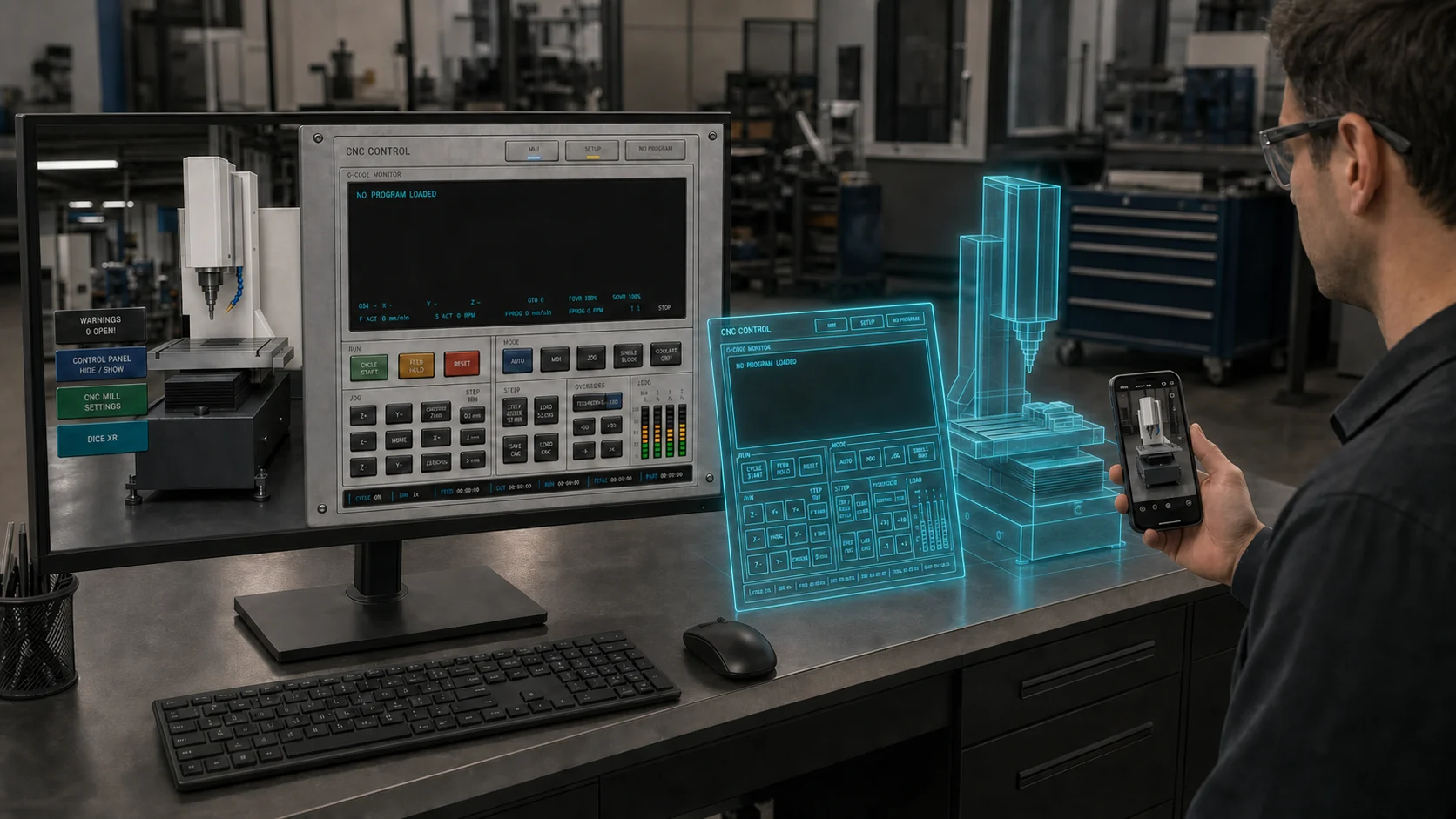
Pair the complete PC simulator with an Android phone or tablet. XR lets the learner move around the CNC, inspect the tool, stock and work-zero relationship from different angles, and manipulate the virtual machine while practicing work-offset calibration in a workflow that mirrors a real CNC. The PC remains the authoritative simulator.
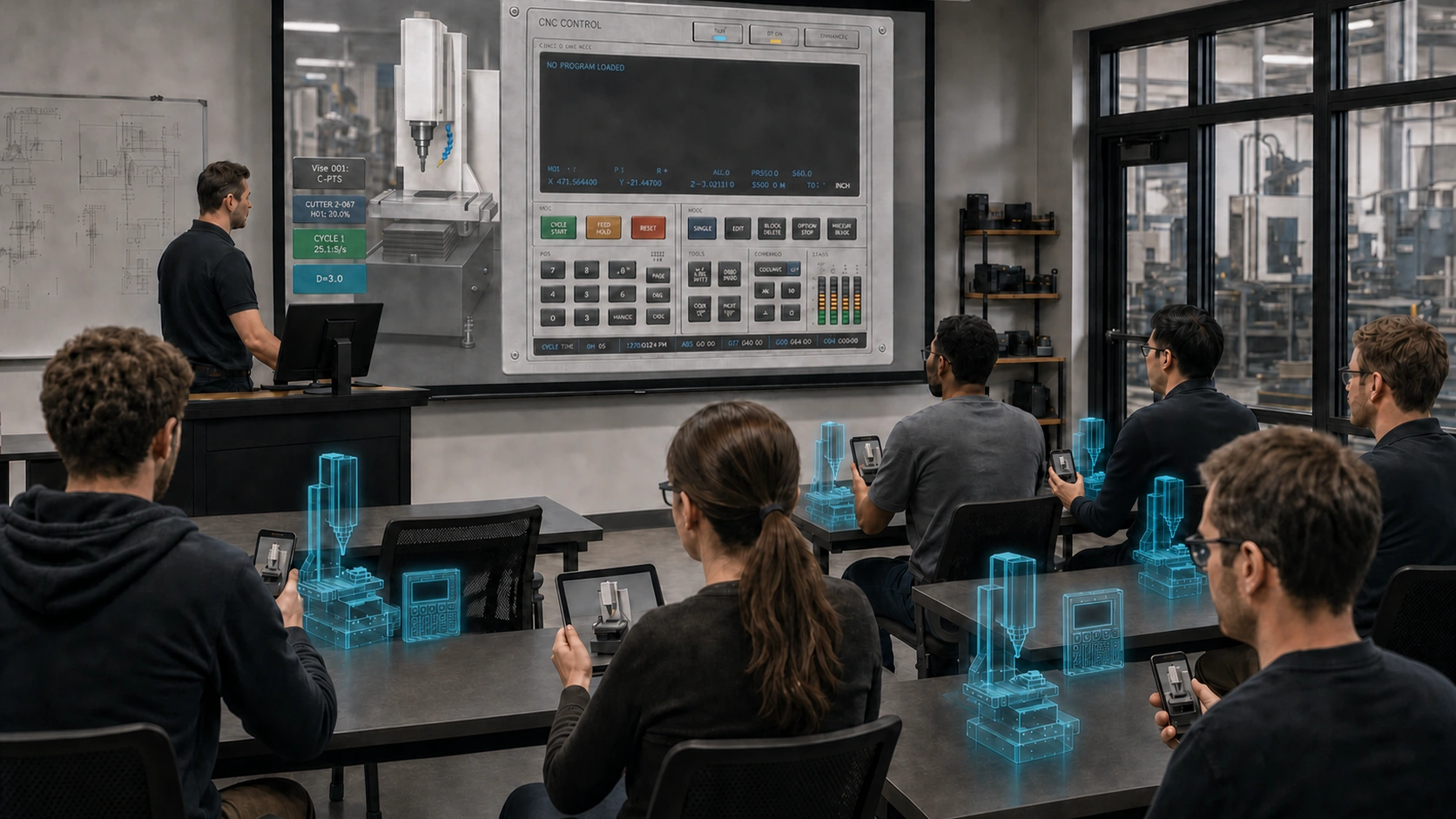
A future managed-institution deployment is designed to let an instructor share one authoritative CNC session with authenticated, read-only learners. Public self-service casting is not enabled; Individual Control remains available to one temporary Android companion at a time.
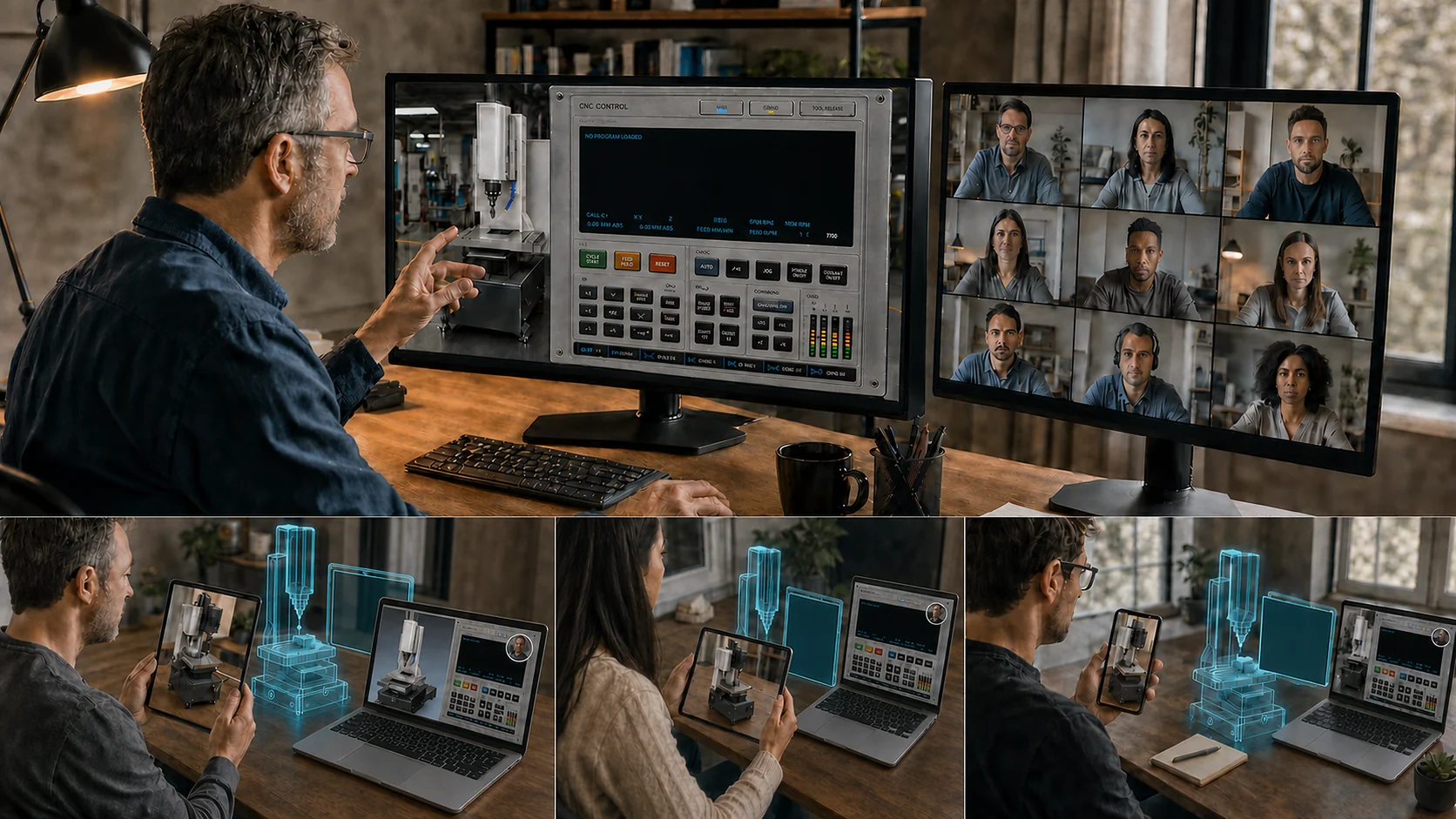
The planned managed flow is designed for authenticated remote learners to follow a live instructor demonstration. It is not available in public self-service access and is shown here only as a future institutional capability.
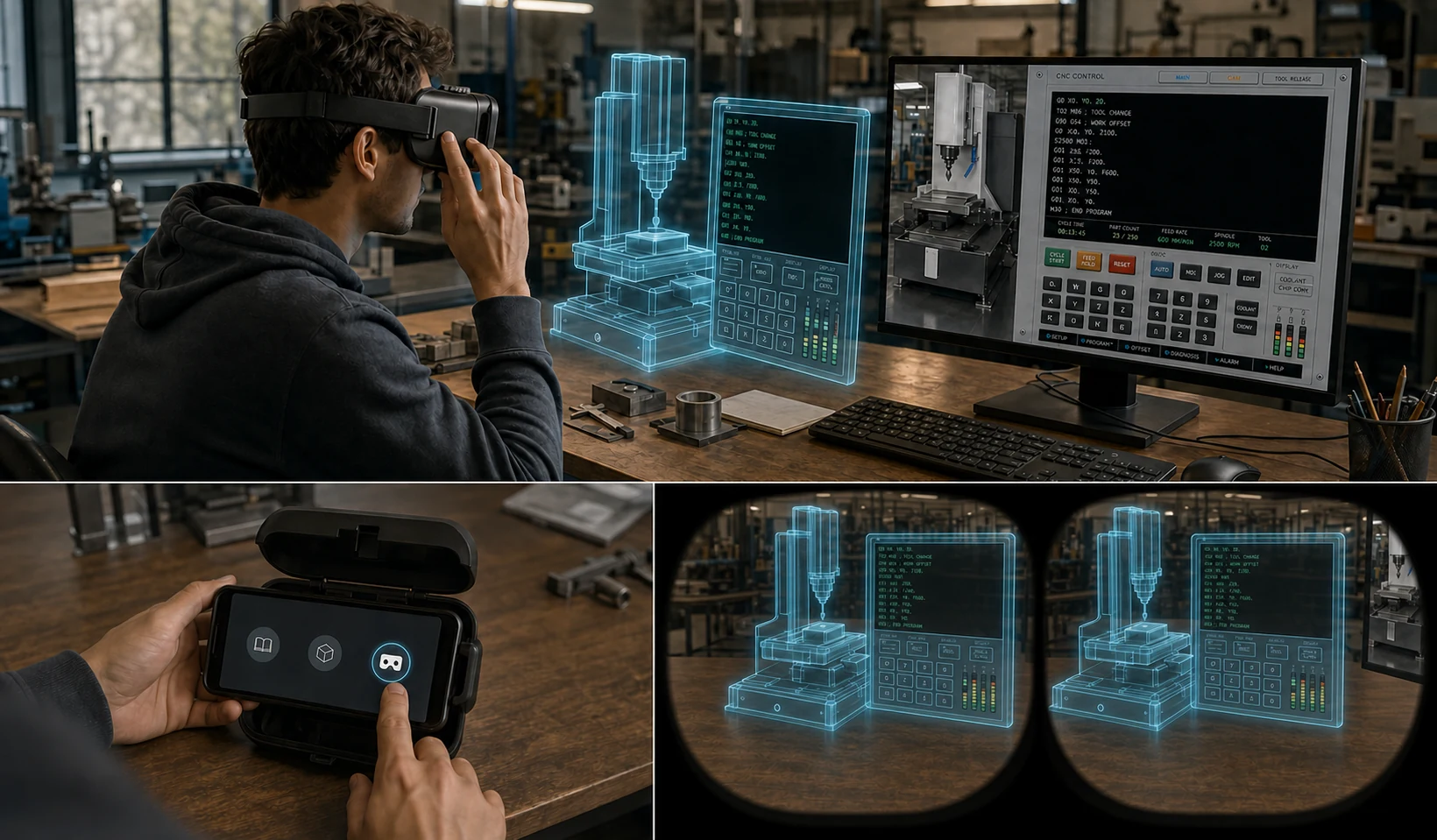
Select Headset in the Android companion, place the phone in a compatible viewer case, and see the synchronized CNC and control panel through an immersive binocular view. The PC continues running the complete authoritative simulation while the learner inspects the machine and work-offset relationship spatially.
Create and verify accountCreate your account first. The Google Play install is available from your dashboard.
INCLUDED CNC TRAINING
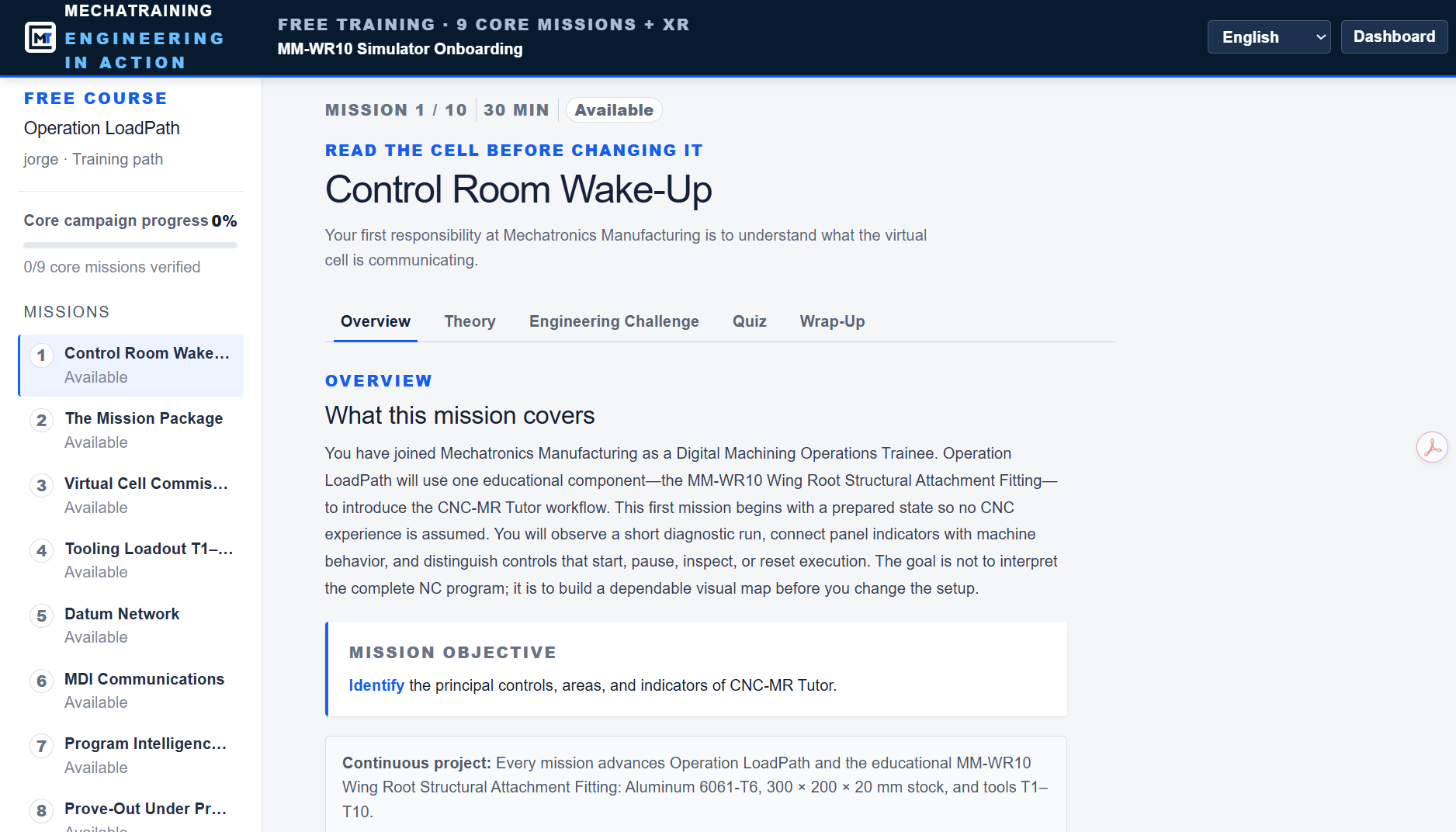
Training mode turns simulator onboarding into practical objectives, immediate feedback, and visible progress.
READY TO EXPLORE?
Create your account and verify your profile. Then select CNC and the term under Buy apps in the dashboard. Activate with your emailed code.
Verified instructors receive complimentary access.